
Android Shop project · Free · One Python file
Kotlin files in. Android app out.
android_scaffold turns a folder of Kotlin and Jetpack Compose files into a running Android app with one command. No Android Studio, no Gradle setup, no XML. It builds the APK, boots the emulator, installs your app and reloads it every time you save.
python3 android_scaffold.py my-app --name "My App" --watch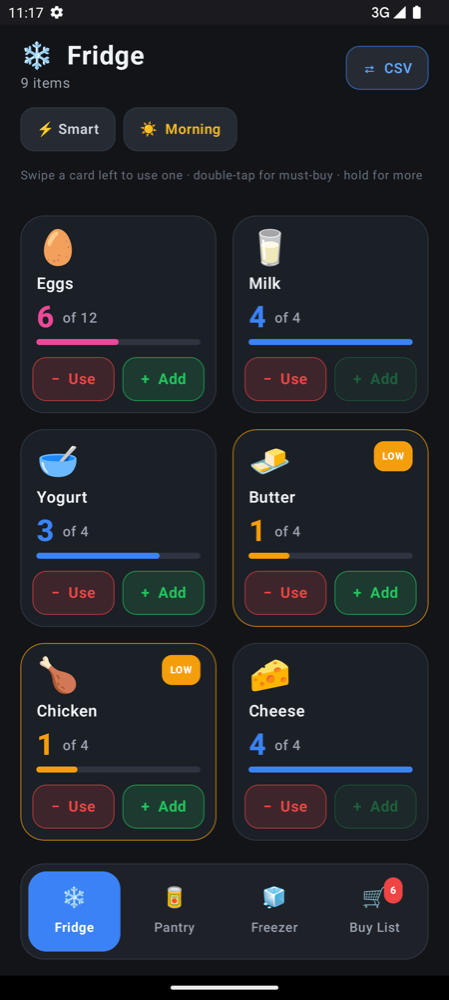
Get the script
android_scaffold is a single Python file with no dependencies outside the standard library. Download it and run it with Python 3.8 or newer.
- View the file on GitHub
- https://github.com/android-shop/android-shop.github.io/blob/main/android_scaffold.py
- Direct download
- https://android-shop.github.io/android_scaffold.py
- Repository, with the Thumb Inventory example app
- https://github.com/android-shop/android-shop.github.io
Or download it from the terminal:
curl -LO https://android-shop.github.io/android_scaffold.py
python3 android_scaffold.py my-app --run
Or with wget:
wget https://android-shop.github.io/android_scaffold.py
python3 android_scaffold.py my-app --run
Then follow the install guide for the JDK and Android SDK it drives.
Write the app. Skip the project.
Even a one-button Android app normally needs about 12 files and 220 lines of Gradle, XML and properties before your code can run. android_scaffold writes all of that for you, from nothing but your .kt files.
- MainActivity.kt
- more screens
- packages
- Gradle files
- AndroidManifest.xml
- launcher icon
- Gradle wrapper
- app on emulator
- app on phone
- APK to share
- live reload
One file, one command
Put a Compose Activity in a folder. That is the whole project.
package com.example.tapcounter

import android.os.Bundle
import androidx.activity.ComponentActivity
import androidx.activity.compose.setContent
import androidx.compose.material3.Button
import androidx.compose.material3.Text
import androidx.compose.runtime.getValue
import androidx.compose.runtime.mutableIntStateOf
import androidx.compose.runtime.remember
import androidx.compose.runtime.setValue

class MainActivity : ComponentActivity() {
    override fun onCreate(savedInstanceState: Bundle?) {
        super.onCreate(savedInstanceState)
        setContent {
            var taps by remember { mutableIntStateOf(0) }
            Button(onClick = { taps++ }) { Text("Tapped $taps times") }
        }
    }
}
python3 android_scaffold.py tap-counter --name "Tap Counter" --runThat generates the project, builds a debug APK, boots an emulator (or uses the phone you plugged in), installs and opens the app, and copies the APK to apk/ so you can send it to anyone. Walk through it step by step.
Everything between your code and the phone
The script handles the setup that usually stops a quick idea from getting built.
Known-good versions
A matched set of the Android Gradle Plugin, Kotlin, Jetpack Compose and Material 3, so builds work the first time.
Manifest written for you
Every Activity is found and registered. MainActivity becomes the launcher. Add a screen, it just appears.
Packages sorted out
Each file lands in the right folder from its package line. The application ID comes from MainActivity.
Emulator and phone
Finds the SDK on macOS, Windows or Linux, boots an emulator or uses a USB-connected phone, installs and launches.
Live reload on save
--watch rebuilds incrementally and relaunches your app every time you save a .kt file.
Paste-friendly
Code copied from a chat or a blog post still builds: leftover Markdown fences are stripped automatically.
A live prototyping loop
Run with --watch and the emulator becomes your preview window. Save, and the app relaunches with your change in a few seconds.
[*] Watching 'tap-counter' for Kotlin changes. Press Ctrl+C to stop.

[*] Changed: MainActivity.kt
[+] Reloaded in 2.8s. Watching for changes...
Compile errors are printed and watching continues, so you fix and save again. How live reload works.
Build for the device in your pocket
Once setup costs nothing, it's worth building small apps that work one-handed, offline and out in the field. The Android Shop small-screen guide shows how, from the thumb zone to offline-first storage.
See it in a real app: Thumb Inventory
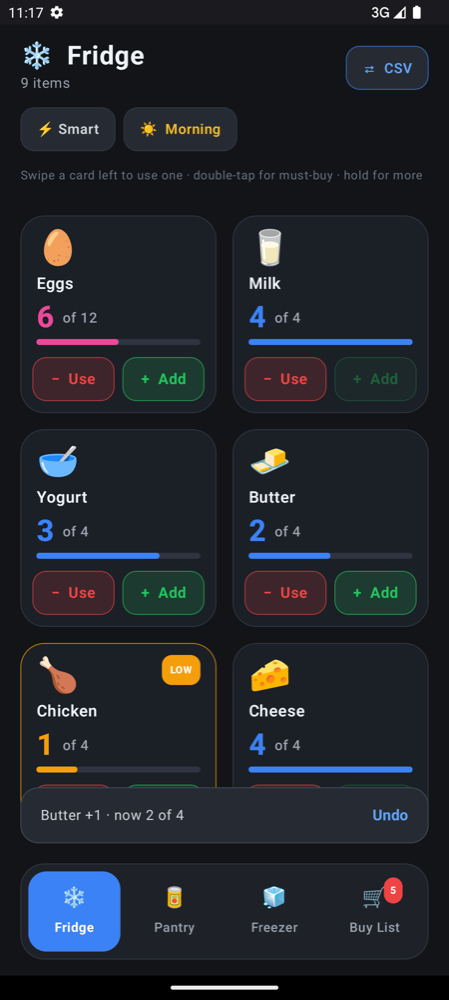
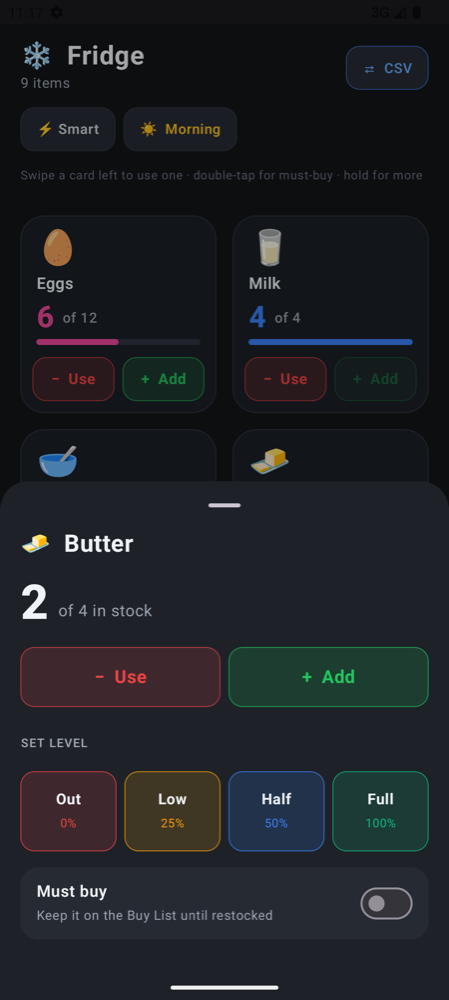
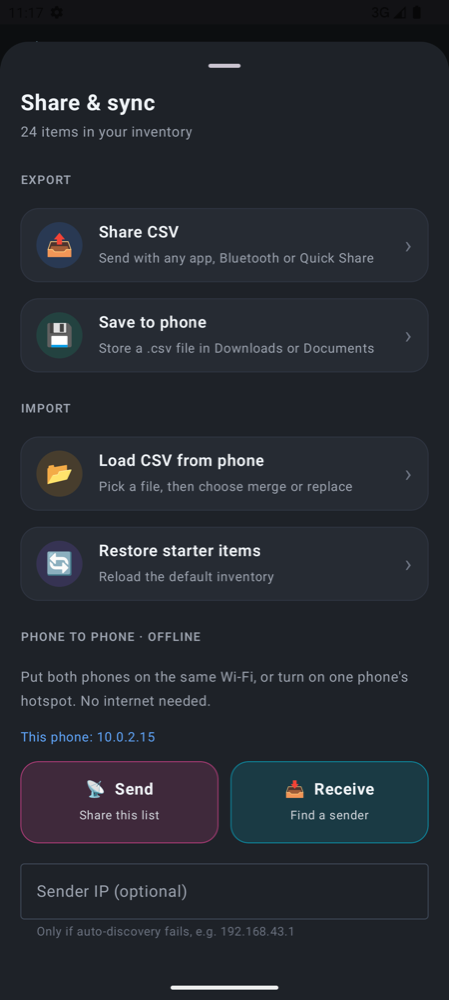
The repository ships a complete example built with the same one-line command: a one-thumb stock counter for shelves, fridges and stockrooms. Big tap targets, swipe and long-press, haptics with undo, offline storage and CSV sharing.
Frequently asked questions
Can I build an Android app without Android Studio?
Yes. android_scaffold needs only Python 3.8+, JDK 17 or newer and the Android SDK. It generates the Gradle project and manifest from your Kotlin files, builds the APK with the Gradle wrapper and installs it with adb, all from the command line. You can still open the generated project in Android Studio whenever you like.
How do I turn a single Kotlin file into an APK?
Put your MainActivity.kt in a folder and run python3 android_scaffold.py my-folder --build-apk. The script creates the full Gradle project in android_build/, builds a debug APK and copies it to an apk/ folder next to your source, ready to install on any Android phone.
Does android_scaffold support live reload or hot reload?
It supports live reload: with --watch it rebuilds incrementally, reinstalls and relaunches the app on the emulator every time you save a .kt file, usually in a few seconds. App state resets on each reload, unlike Compose's in-IDE Live Edit.
Do I need to edit AndroidManifest.xml when I add a screen?
No. Every class that extends ComponentActivity, AppCompatActivity, FragmentActivity or Activity is found and registered automatically, and MainActivity is made the launcher.
Is android_scaffold free?
Yes. android_scaffold and the Thumb Inventory example app are free software under the GNU General Public License, version 2 or later. The script uses only the Python standard library.